
Meet Maria. This is her whole story, in one platform.
Follow Maria Lopez of Bloom Salon & Spa from first click to loyal regular through all seven tools. This example uses sample data in a demo workspace.
📸 Every image below is a real, unedited Stacks screenshotHow does a new lead reach your CRM?
She fills out the form on your website, or you add her in ten seconds. Either way she lands in your contact list with her source, tags and owner already set. No spreadsheet, no sticky note.
How lead capture works →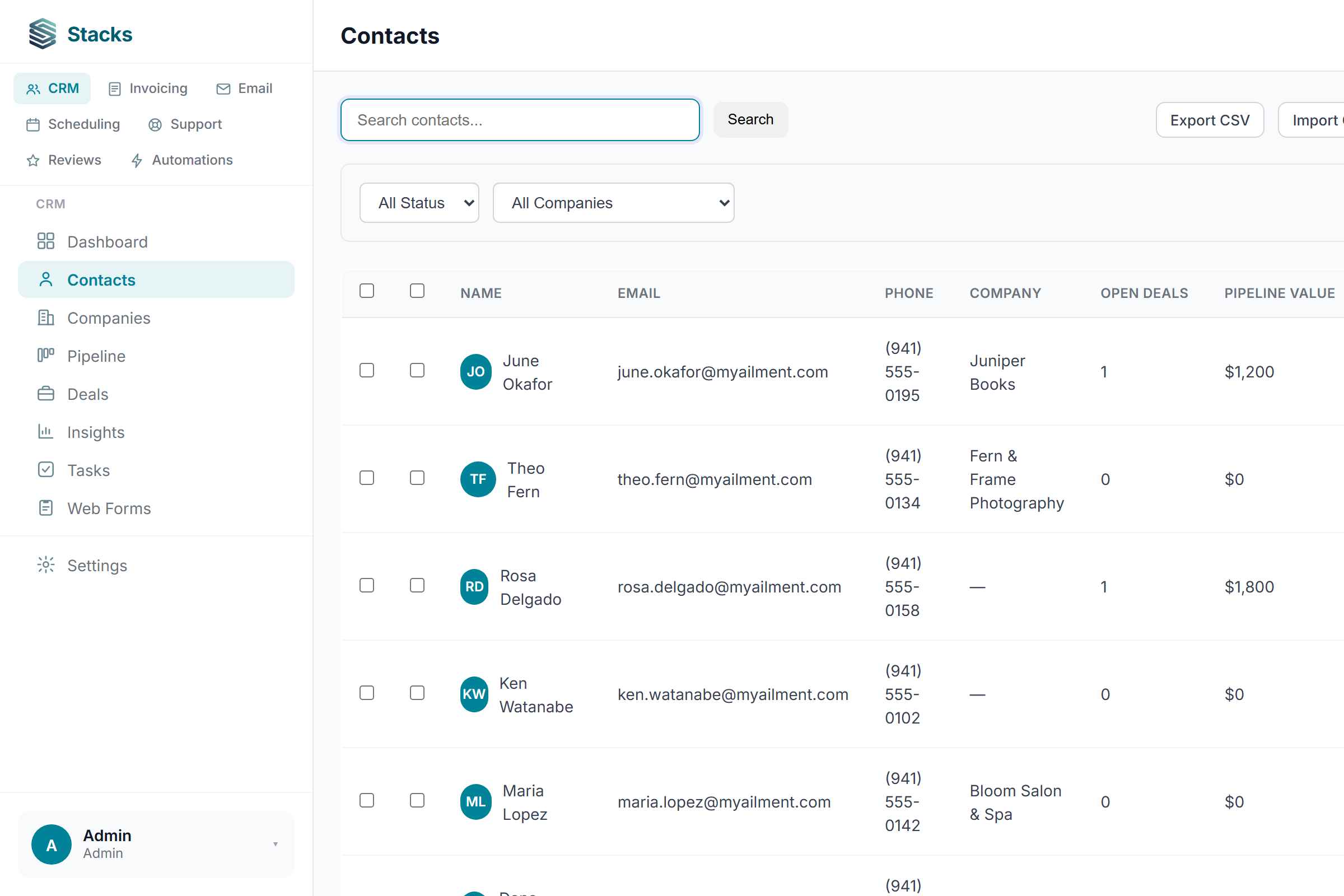
How do you track the opportunity?
The reception refresh she asked about is now a $2,400 card on your pipeline. Drag it from stage to stage; the totals, weighted value and close rate keep themselves up to date.
How the pipeline works →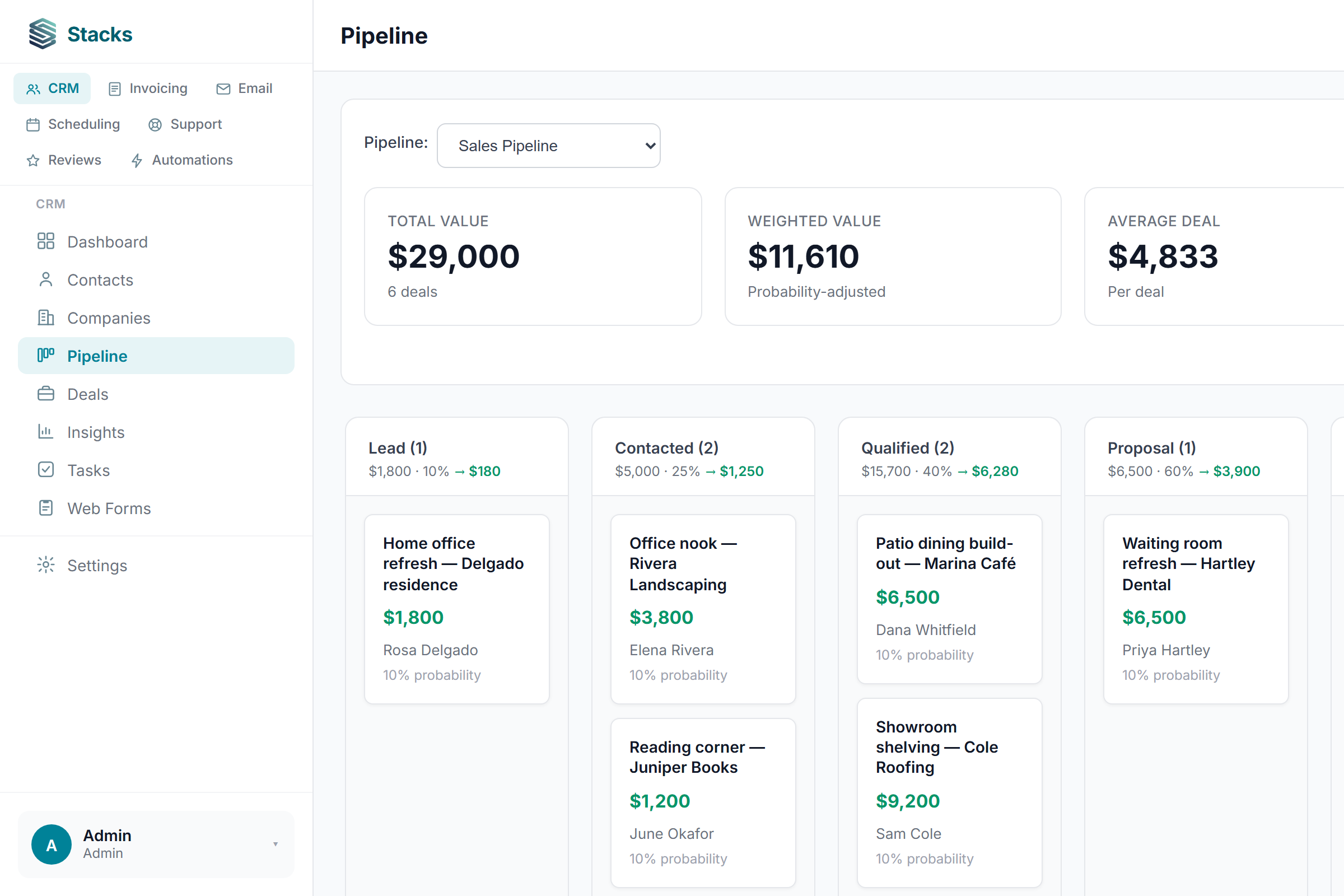
How do you invoice the work?
The invoice starts from the same record, so there's nothing to re-type. Maria pays the $2,400 online and the balance drops to zero on its own, payment history and all.
Send invoice emails through your own email provider and accept online payments through your own Stripe account. These services may charge their own fees.
How invoicing works →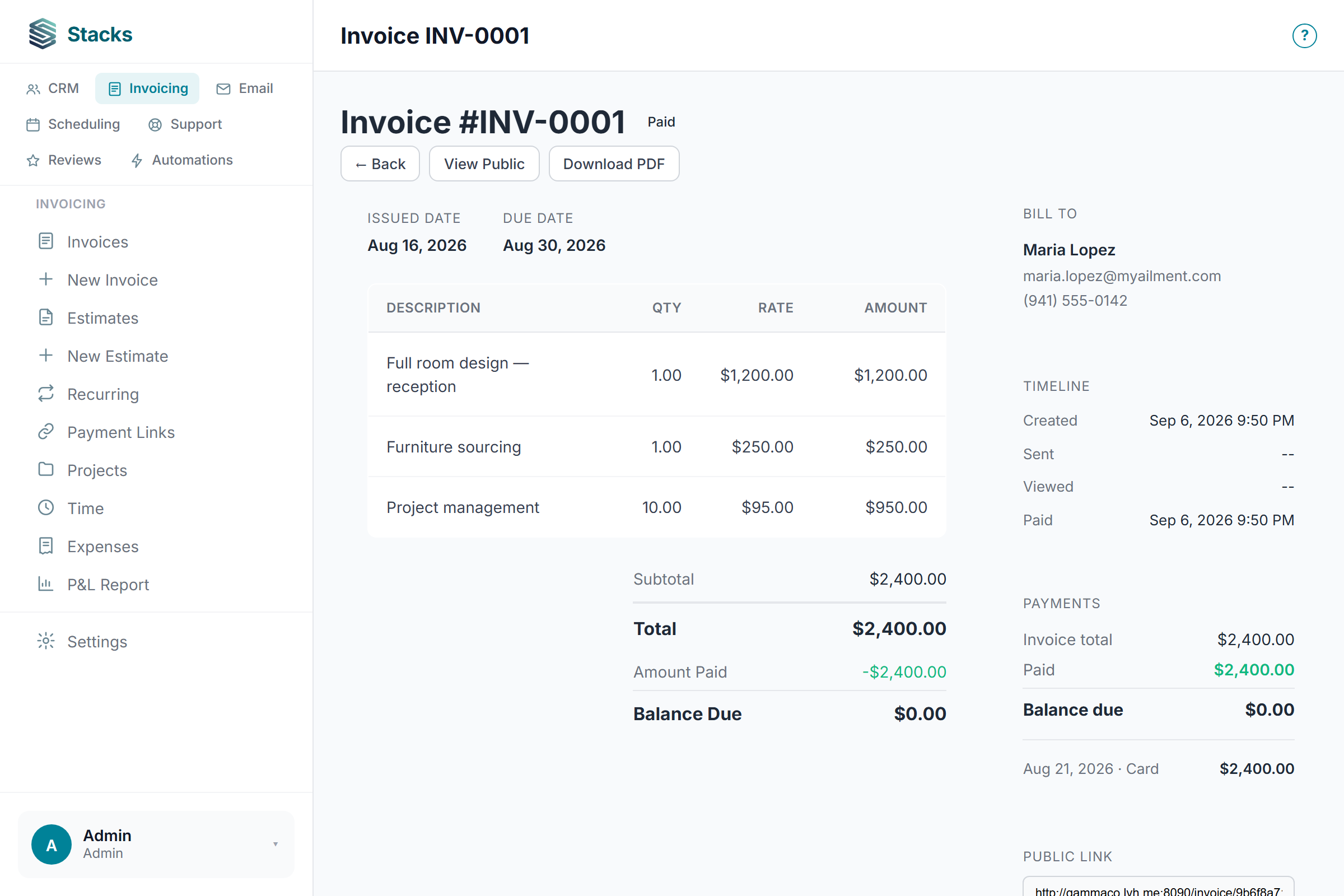
She books her next visit herself
This is what Maria sees when she opens your booking link: your real availability, her time zone, no back-and-forth. She grabs Tuesday at 10:30 and you both get it on the calendar.
How scheduling works →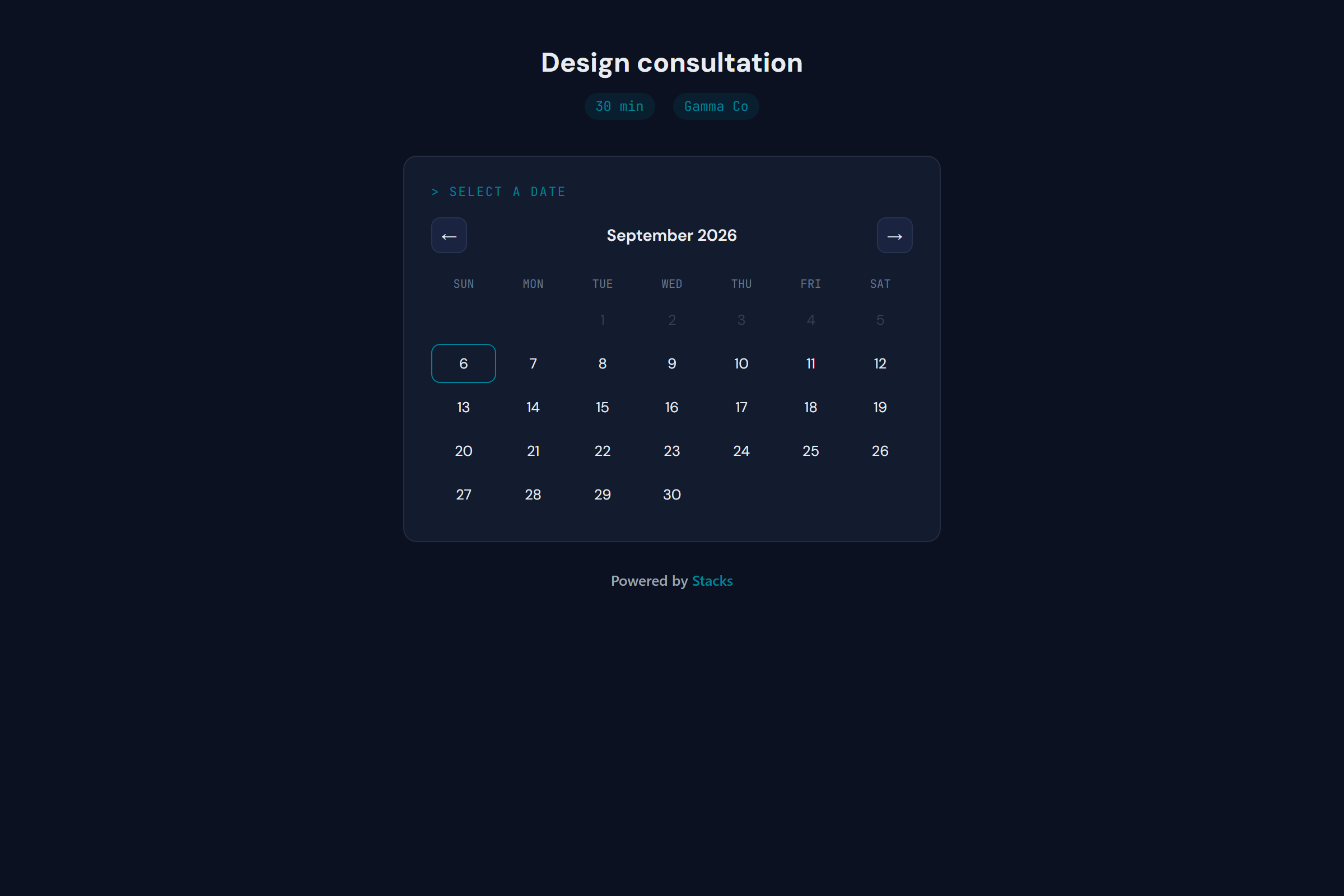
She tells the world
One tap tells you how Maria felt, and invites her to say it publicly on Google. Every customer gets that same invitation, and when someone's unhappy (like Sam, below), their feedback also lands with you first, so you can make it right.
How review requests work →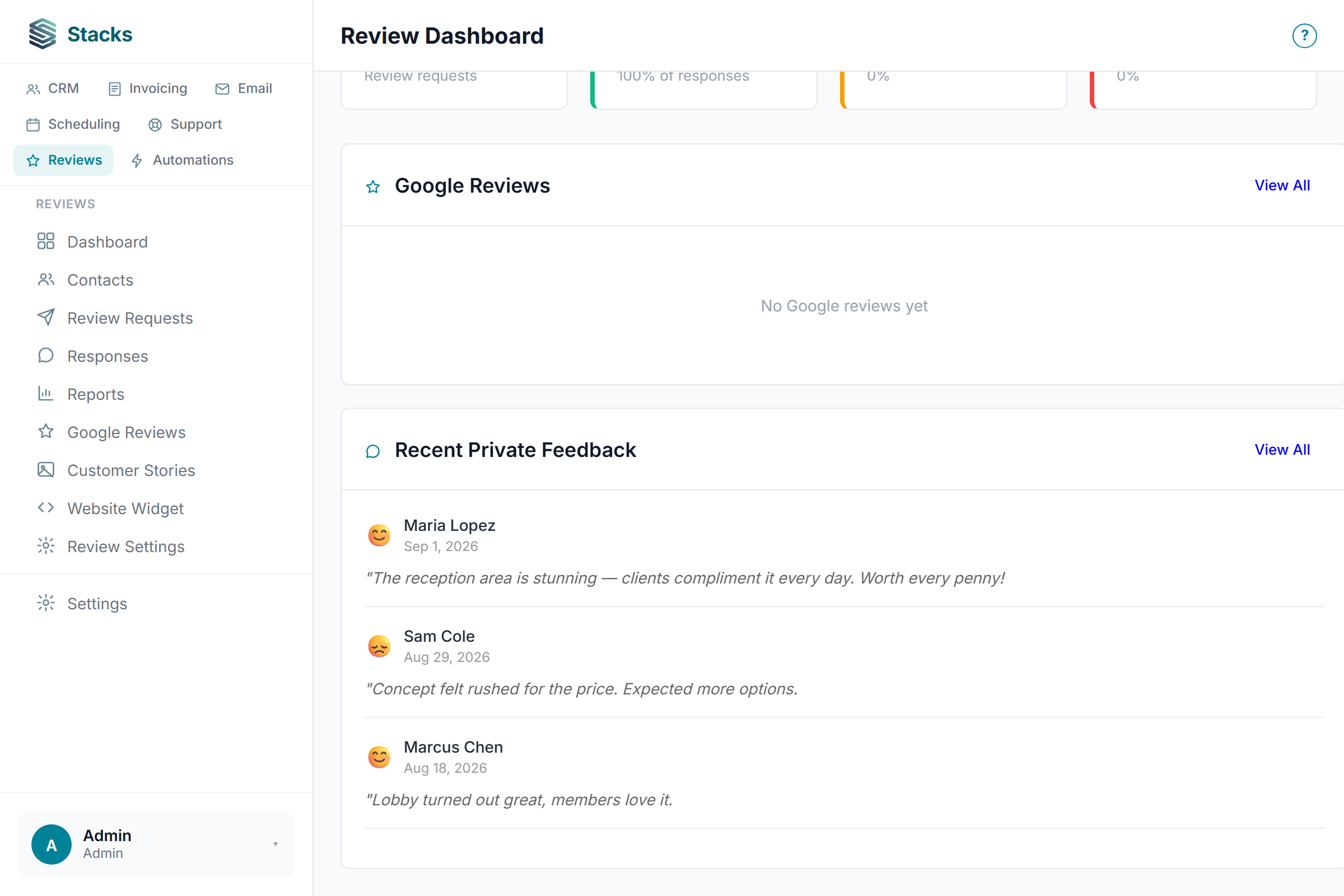
Questions land next to her history
When Maria asks about a line item, it's a ticket sitting beside everything you know about her, the deal, the invoice, the bookings. Answer, resolve, done. She's still at zero open tickets.
How the support desk works →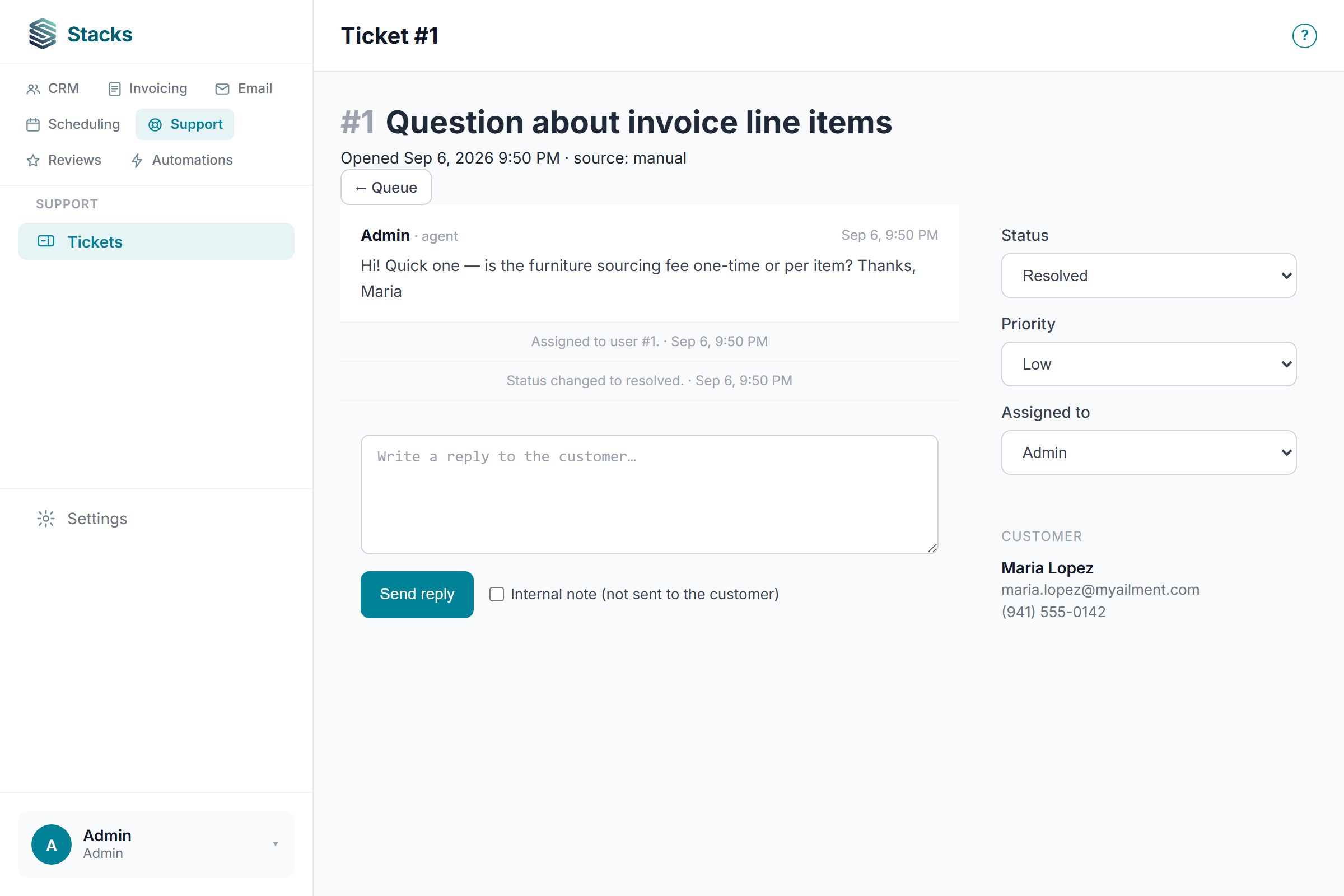
One record remembers everything
This is the whole point. Deal won, invoice paid, task done, every event you just watched is one timeline on one record. Nothing was copied between tools, because there's only one tool.
Browse every feature guide →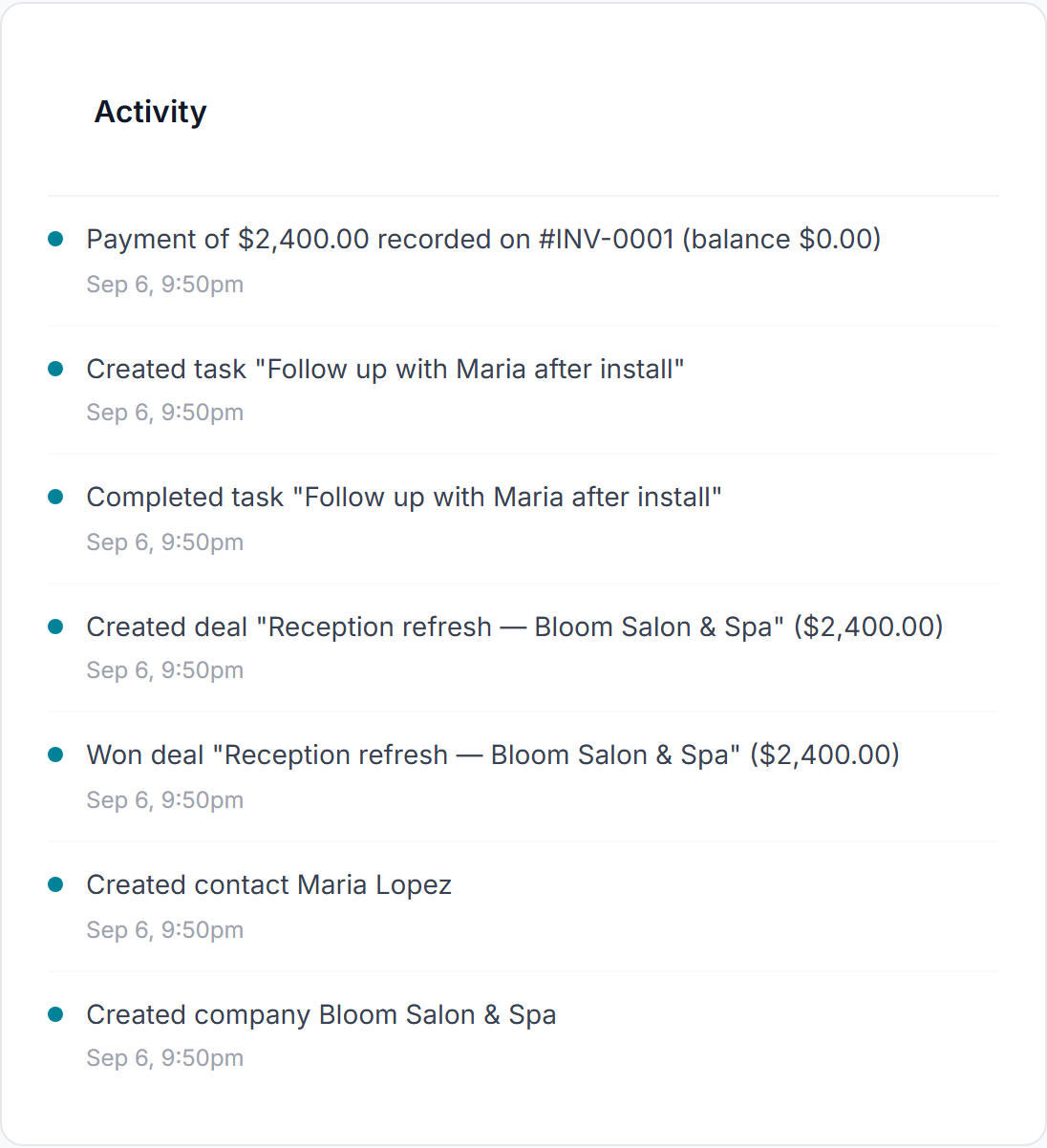
How do you try this workflow yourself?
Is Maria a real customer case study?
This tour uses sample data in a demo Stacks workspace. The screenshots show the product, but the amounts, bookings and reviews illustrate a workflow rather than measured customer results.
What do I need to send emails and collect payments?
Connect your own email provider for sending and your own Stripe account for online payments. Stacks supports Brevo, Resend and SendGrid for email. Those services set their own fees and limits; saving a connection is not proof that a message or payment succeeded.
Where should I start with my own business?
Start with one contact: add a linked follow-up task, complete it and record the next action in a note. Reopen the contact to verify the saved activity. Then test the invoicing, booking or email workflow you actually need before moving live customer work.
Start with a test contact →Your Maria is out there.
Everything you just saw is free forever, all seven tools, unlimited users, no credit card.
Start free → Compare Stacks Why it’s freeScreenshots are from a demo Stacks workspace ("Gamma Co") with sample data, the product, exactly as you'd use it.